
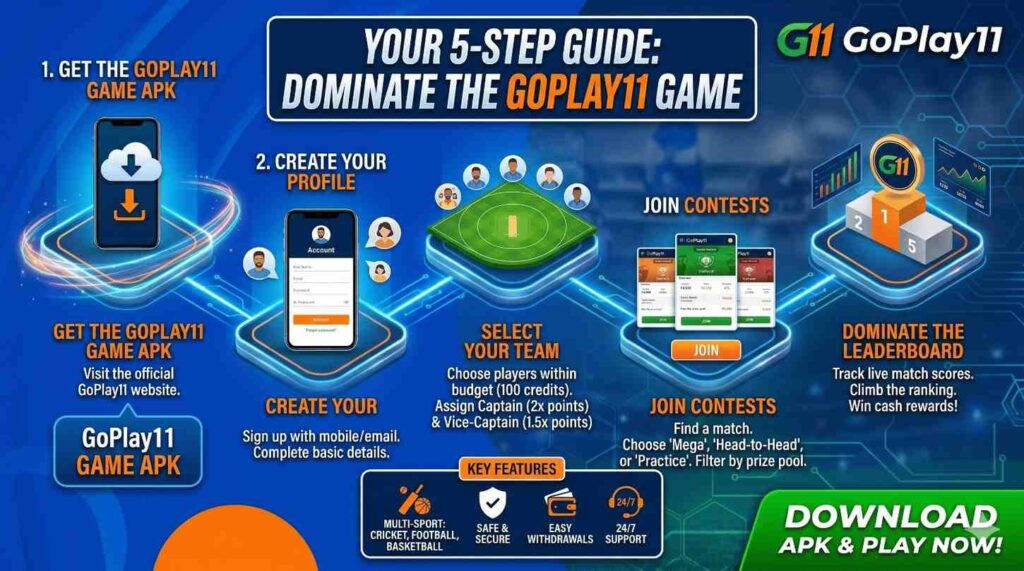
Quick Verdict: GoPlay11 (also searched as GoPlay 11) is a skill-based Android fantasy cricket platform where outcomes are determined by official live match scorecards rather than random chance. With HTTPS encryption, mobile OTP verification, transparent 100-credit team rules, and direct UPI/IMPS wallet payouts, the GoPlay11 App provides a fast, reliable environment for Indian cricket fans.
Why Players Search “Is GoPlay11 Real or Fake?”
Whenever a mobile sports application is distributed as a direct Android .apk package outside the Google Play Store, smart players naturally look up independent reviews before installing it. Because thousands of cricket enthusiasts join daily contests during major tournaments like GoPlay11 IPL, evaluating how the platform calculates points, protects user accounts, and processes UPI withdrawals is essential.
Below is our complete technical and gameplay verification of the GoPlay11 Game.
GoPlay11 Platform Security & Trust Verification Table
We evaluated the core technical, gameplay, and wallet parameters of GoPlay 11 across Android devices:
| Verification Parameter | How It Works on GoPlay 11 | Status |
|---|---|---|
| SSL Data Encryption | 128-bit HTTPS encryption secures login sessions and payment gateways. | ✅ Verified |
| Account Authentication | Mandatory 10-digit Indian mobile number + SMS OTP verification. | ✅ Verified |
| Gameplay Format | 100% Skill-Based Fantasy Cricket (100-Credit XI, 2x Captain, 1.5x VC). | ✅ Standard Skill Format |
| Live Scoring Engine | Points sync directly with official real-time match scorecards (runs, wickets, catches). | ✅ Transparent |
| Post-Toss Lineup Indicators | Displays green markers for announced Playing XI & Impact Player substitutes. | ✅ Available |
| Withdrawal Channels | Direct transfer to verified UPI IDs (PhonePe, GPay, Paytm) & Bank IMPS. | ✅ Supported |
| KYC Fraud Protection | One-time PAN and bank/UPI ownership check prevents unauthorized withdrawals. | ✅ Active |
Why Is GoPlay11 Distributed as an Android APK?
A common question from first-time users is why the GoPlay11 App is downloaded directly via a 25–28 MB .apk installer rather than from the Play Store. In the Indian fantasy sports ecosystem, distributing the official Android package directly allows the platform to push instant pre-tournament updates, maintain lower platform commission fees in Head-to-Head rooms, and run smooth post-toss roster updates without app-store review delays.
How to Ensure You Download the Authentic APK
- Always download the installer package directly from our verified GoPlay11 or the dedicated GoPlay11 App download guide.
- Check that the downloaded file ends in
.apkand sits within the standard 25–28 MB file size range. - Never share your SMS login OTP or account password with anyone on Telegram or WhatsApp groups.
How GoPlay 11 Ensures Fair Play in Contests
Unlike luck-based games, every contest inside the GoPlay11 Game follows strict, verifiable fantasy cricket rules:
- Hard Deadline Lock at Match Start: All contest entries lock strictly at the scheduled first ball (or official match lock time). No participant can edit a squad after the match begins.
- Uniform 100-Credit Cap: Every user in the lobby builds their 11-player team under the exact same 100-credit budget and role limits (1–4 WK, 3–6 BAT, 1–4 AR, 3–6 BOWL).
- Open Leaderboard Transparency: Once a match locks, you can view the drafted teams and Captain/Vice-Captain selections of other participants in your contest room so you can track every run and wicket live.
How to Verify Your Account & Test Fast UPI Withdrawals
To experience smooth payouts on GoPlay11, we recommend completing your profile verification right after installing the app:
- Register with Your Own Mobile Number: Use an active SIM linked to your primary UPI app.
- Complete One-Time KYC: Open My Wallet → KYC Verification and submit your PAN card along with your verified UPI handle or Bank Account + IFSC code.
- Start with Practice or Small Leagues: Join a beginner Head-to-Head or low-entry contest during an international T20 or GoPlay 11 IPL fixture.
- Withdraw Winnings Directly: Once the match scorecard settles (typically within 30 minutes of the final ball), tap Withdraw inside your wallet to transfer your winnings straight to your UPI account.
Final Rating & Verdict on GoPlay11
| Review Category | Score | Key Takeaway |
|---|---|---|
| App Speed & Toss-Time UI | 4.8 / 5 | Lightweight Android build (~25 MB) loads confirmed Playing XIs without lag. |
| Contest Variety & Fees | 4.7 / 5 | Strong mix of low-entry Head-to-Head rooms, small leagues, and IPL Mega Contests. |
| Scoring Transparency | 4.8 / 5 | Clear point multipliers (2x C, 1.5x VC) and full Impact Player support. |
| Wallet & UPI Payouts | 4.7 / 5 | Seamless UPI intent deposits and rapid KYC-verified withdrawals. |
| Overall Platform Rating | 4.8 / 5 | Recommended for Android fantasy cricket fans who value skill-based T20 & IPL contests. |
Frequently Asked Questions (FAQs)
1. Is GoPlay11 a game of skill?
Yes. GoPlay11 operates on the standard Indian fantasy sports model where users draft an 11-player squad based on cricket statistics, pitch conditions, and player roles.
2. How fast are withdrawals on the GoPlay 11 app?
Once your one-time PAN and bank/UPI KYC verification is marked approved inside the app, UPI withdrawal requests from your winnings balance are processed rapidly.
3. Where can I learn the exact point system for the GoPlay11 game?
You can read the complete batting, bowling, fielding, and strike-rate point tables on our dedicated GoPlay11 Game Rules & Scoring Guide.
Disclaimer (18+ Only): This review is published for informational purposes on goplay11-ind.com. Fantasy sports involve financial risk and are restricted in certain Indian states (including Andhra Pradesh, Assam, Odisha, Telangana, Nagaland, and Sikkim). Please play responsibly.