
What is GoPlay11?
GoPlay11 (also searched by players as GoPlay 11, GoPlay11 Game, GoPlay 11 Game, and the GoPlay11 App) is an Android-based fantasy cricket and sports strategy platform built around real-time Indian cricket fixtures. Whether users type GoPlay11 IPL or GoPlay 11 IPL, they are looking for the same standalone Android package because the full contest lobby is installed via a direct APK file rather than a standard store listing.
Unlike unrelated casual games or Play Store lookalikes sharing the word “GoPlay,” the actual GoPlay11 game operates as a parallel live scoreboard tied to real cricket fixtures. Once you sign in, the lobby opens straight to upcoming matches with three core mechanics:
- Hard Lock Deadlines: Every match runs on a countdown timer tied to the first ball. Once the clock hits zero, squads lock late injuries or rain delays do not reopen an entry.
- Post-Toss Playing XI Dots: Roughly 25 to 30 minutes before start time (around 7:00 PM IST for evening T20s), green dots mark confirmed starters so you can swap benched players before lock-in.
- Structured Contest Rooms: Each fixture splits into Free Practice rooms, Head-to-Head (1v1), Small Pools (3 to 10 spots), Mega Contests, and 2nd Innings chase rooms during the mid-match break.
If you prefer a step-by-step beginner walkthrough in Hinglish, read our GoPlay11 Kaise Khelen guide.
GoPlay11 APK File Details & Phone Requirements
Before tapping install, verify your downloaded package against these baseline specs. If a transfer stops near 2 MB, the download broke mid-way. If an .apk asks for Android 4 or sits near 80 MB, delete it because you downloaded a different app.
| Specification | Current Android Build Detail |
|---|---|
| App Name | GoPlay11 (GoPlay 11 App / GoPlay11 Game) |
| Package Format | Standalone Android .apk (Sideload only) |
| Download Size | ~25 MB to 28 MB |
| Storage Needed | At least 60 MB free to unpack cleanly |
| Android Version | Android 7.0 (Nougat) and newer |
| RAM Floor | 2 GB minimum (4 GB+ runs smoother during toss rush) |
| Account Login | 10-digit Indian mobile number + SMS OTP |
| Covered Formats | GoPlay11 IPL, International T20/ODI/Test, Domestic Leagues |
| Age Limit | 18+ only (subject to local Indian state laws) |
GoPlay11 Game Squad Rules & T20 Points System
Every standard contest inside the GoPlay 11 game uses the same 100-credit budget and allows a maximum of 7 players from any single real-life side:
- Wicketkeepers (WK): 1 to 4 players
- Batters (BAT): 3 to 6 players
- All-Rounders (AR): 1 to 4 players
- Bowlers (BOWL): 3 to 6 players
Your Captain earns 2x points and your Vice-Captain earns 1.5x points. A batter who scores 50 might look great on television, but a bowler who takes two bowled/LBW wickets often outscores him inside the app. Keep the core T20 scoring numbers in mind when drafting:
| Match Action (T20 Format) | Fantasy Points |
|---|---|
| Run Scored | +1 |
| Boundary (4) / Six (6) Bonus | +1 / +2 |
| 30-Run / 50-Run / 100-Run Milestone | +4 / +8 / +16 |
| Duck Dismissal (WK, BAT, AR) | -2 |
| Wicket Taken (Excl. Run Out) | +25 |
| Bowled or LBW Dismissal Bonus | +8 |
| 3-Wicket / 4-Wicket / 5-Wicket Haul | +4 / +8 / +16 |
| Maiden Over | +12 |
| Catch / 3-Catch Match Bonus | +8 / +4 |
| Stumping or Direct-Hit Run Out | +12 |
Weather & Tie Rules: If rain washes out a fixture with no official result, entry credits are returned to your account automatically. If a shortened DLS match produces a result, points settle off the official scorecard. Runs and wickets scored in a tie-breaking Super Over do not count toward fantasy totals.
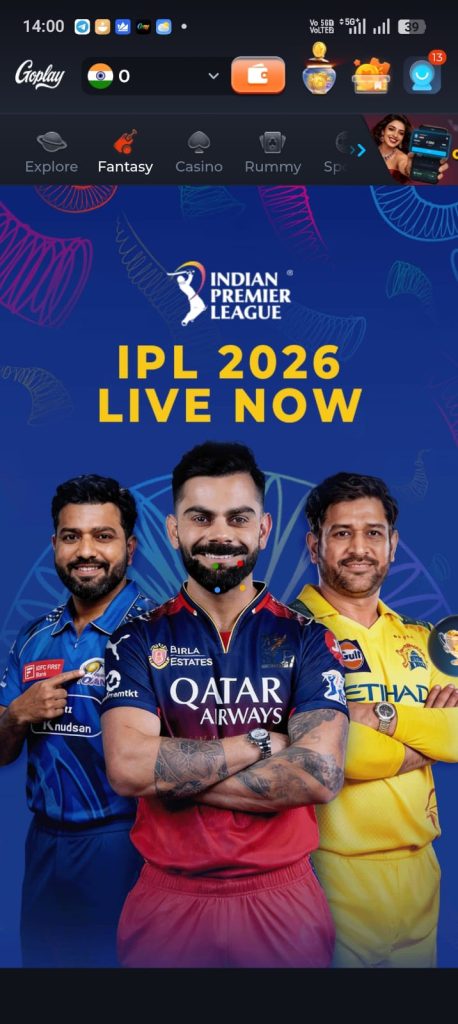
GoPlay11 IPL Contests & Impact Player Handling
Traffic inside the GoPlay 11 app peaks during the Indian T20 season. GoPlay11 IPL match rooms add a few mechanics you will not see in standard bilateral matches:
- Impact Player Sync: Right after the 7:00 PM IST toss, the lineup builder tags both the Starting XI and the 5 named Impact Player substitutes. If you draft a named substitute and the team brings him onto the field mid-match, you receive 100% of his batting, bowling, and fielding points.
- 2nd Innings Rooms: If you miss the 7:30 PM deadline, you can still enter a fresh chase-only contest during the innings break.
- Venue Adjustments: Flat tracks like Wankhede or Chinnaswamy favor top-order openers and death-over fast bowlers (overs 17 to 20). Slower surfaces like Chepauk or Ekana heavily reward wrist spinners and middle-order all-rounders.
For deeper venue breakdowns, dew strategies, and Mega League captain swaps, check our dedicated GoPlay11 IPL strategy guide.
How to Install the GoPlay11 APK on Android
Android blocks non-Play Store files by default. Samsung, Xiaomi, Realme, Vivo, and stock Android label the menus slightly differently, but the install order stays identical:
- Download the File: Tap the download button on this page and wait for the browser notification to confirm the
.apktransfer is finished. - Open From Downloads: Tap the completed notification or open your phone’s Files / Downloads folder and select the GoPlay11 package.
- Allow One Source Only: When Android shows the security popup, tap Settings and toggle Allow from this source for Chrome (or whichever browser you used).
- Confirm Package & Install: Check that the app icon and name match GoPlay11, tap Install, and wait roughly 10 seconds.
- Switch Permission Back Off: Once installed, go back and turn off unknown-app installs for your browser as good phone hygiene.
Permissions Checked During Install
The GoPlay 11 app needs Network/Wi-Fi access to pull live scores and send OTP requests, plus optional Notifications if you want 25-minute toss reminders on Android 13+. It does not need access to your contacts, microphone, or personal photo gallery to run match lobbies.
Fixing Common Android Install & Launch Errors
- “App Not Installed” Error: Almost always caused by either low free space (clear at least 200 MB) or an older mismatched build sitting on your phone. Uninstall the old copy first, then run the fresh installer.
- Play Protect Warning Banner: Android flags most sideloaded packages as unrecognized developers. Tap More Details and choose Install Anyway only after verifying you downloaded the file intentionally and checked the ~25–28 MB size.
- App Freezes Right Before the Toss: Stale cache from a previous series is usually the culprit. Long-press the app icon, go to App Info > Storage & Cache, and tap Clear Cache (do not tap Clear Storage unless you want to sign in again).
GoPlay11 Login, OTP Fixes & Account Verification
Register with a 10-digit mobile number that stays in your own phone. Never sign up with a friend’s SIM, because password resets, account recovery, and profile verification all route back to that exact number.
- Open the installed GoPlay11 app and enter your 10-digit number (skip
0or+91). - Add an invite code if a friend shared one (see our GoPlay11 referral guide for how invite credits track).
- Tap Get OTP, wait for the SMS, and type the code to enter the match lobby.
If your GoPlay11 login OTP does not arrive: Wait a full 60 seconds before tapping resend. Spamming the resend button cancels the SMS already on its way. If the app throws a session or verification error, check your phone’s Date & Time settings and make sure Set Time Automatically is switched on—manual phone clocks break OTP tokens.
Profile & Account Verification: Inside the app’s profile/wallet section, users complete standard one-time KYC (PAN and UPI/bank account match) before using transfer features. Keep your registered name identical across your profile and bank/UPI handle to prevent verification holds. For a full breakdown of platform checks, security signals, and user questions, see our GoPlay11 real or fake review.
Frequently Asked Questions
Q1. Are GoPlay11 and GoPlay 11 the same app?
Yes. People search GoPlay11, GoPlay 11, GoPlay11 Game, and GoPlay 11 App, and all four refer to the exact same Android fantasy cricket application.
Q2. Is the GoPlay11 app available on Google Play Store or iOS?
No. GoPlay11 is distributed directly as an Android APK file for smartphones running Android 7.0 or higher. There is currently no native iPhone App Store version.
Q3. Why does my GoPlay11 APK fail to install on Android?
The three most common reasons are an interrupted download (file size far below 25 MB), less than 200 MB of free phone storage, or a signature clash with an older version already on your device. Delete the old build, clear storage space, and re-download the package over a steady connection.
Q4. Can I edit my GoPlay11 IPL team after joining a contest?
Yes. You can swap players, update Impact Player picks, and change your Captain or Vice-Captain as many times as needed right up until the official match lock timer reaches zero.
Q5. Does updating the GoPlay 11 app erase my account or teams?
No. Your profile, drafted squads, and contest history stay linked to your registered mobile number on the platform’s servers. Installing an updated APK over your existing copy preserves your account data.
Explore Our Complete Guides:
7 Practical Tips for First-Time GoPlay11 Players | GoPlay11 IPL Contest & Venue Strategy | GoPlay11 Real or Fake Security Analysis
Independent Notice (18+ Only): goplay11-ind.com is an independent informational and Android technical guide. We do not operate the GoPlay11 application, run contests, or handle user accounts or funds. Fantasy sports are restricted in certain Indian states (including Andhra Pradesh, Assam, Odisha, Telangana, Nagaland, and Sikkim). Confirm your local state rules before participating and always play responsibly.